
Table of Contents
Quick Answer
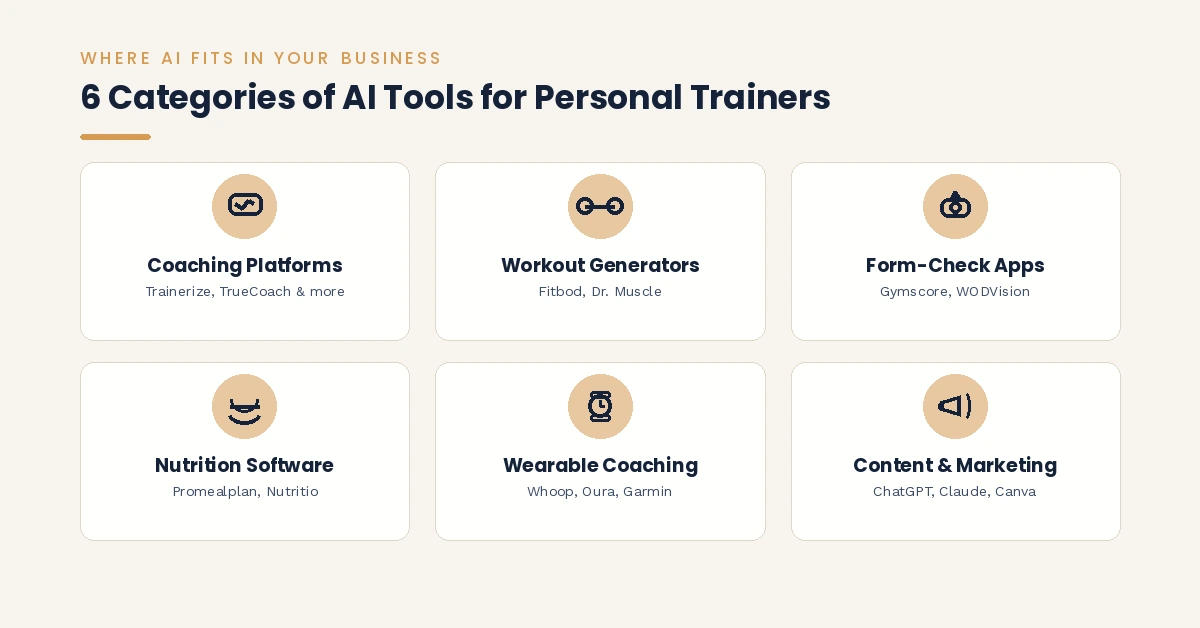
If you’re a personal trainer or fitness coach trying to figure out where AI actually fits into your business, here’s the short version. The best AI tools for personal trainers and fitness coaches fall into six practical categories: all-in-one coaching platforms like Trainerize, TrueCoach, and PT Distinction for programming and client management, standalone AI workout plan generators like Fitbod and Dr. Muscle for fast program building, AI form-check apps like Gymscore for movement analysis, AI nutrition software for macro-based meal plans, wearable-linked AI coaching from Whoop and Oura for recovery-guided training, and AI content tools like ChatGPT, Claude, and Canva for marketing.
None of these replace you. They remove the repetitive work, programming templates, check-in replies, meal plan drafts, social captions, so you can spend more time actually coaching. The rest of this guide breaks down which tool fits which job, roughly what each one costs, and where AI still can’t replace a trained set of human eyes.
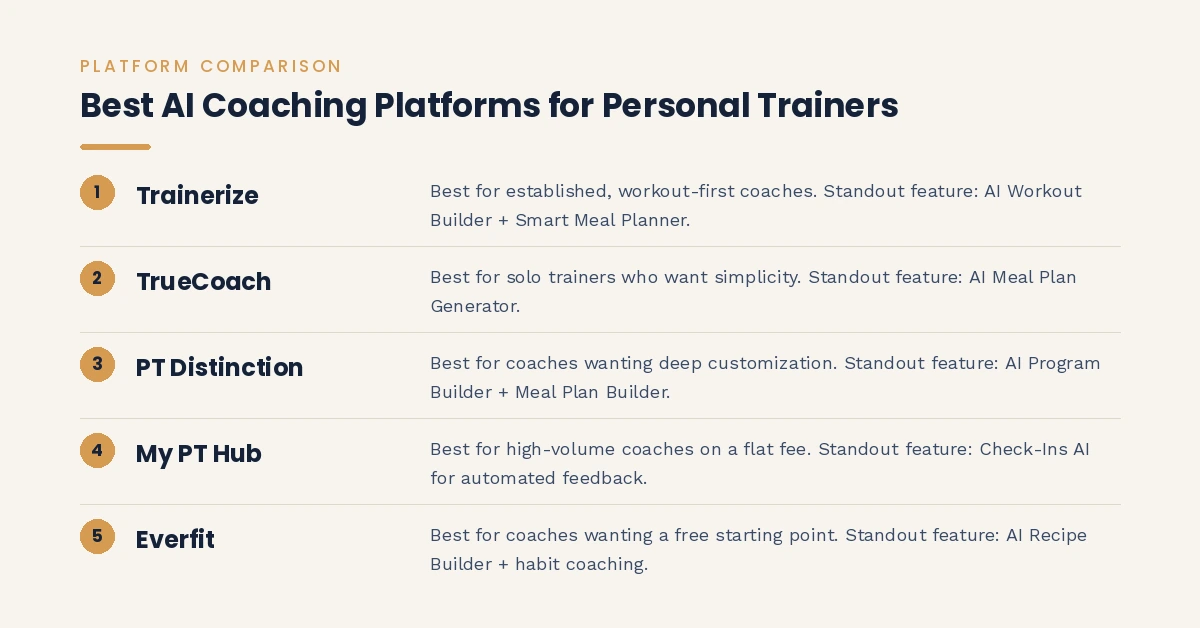
Here’s the quick comparison across the five main all-in-one coaching platforms, before we get into workout generators, form-check apps, nutrition software, and everything else:
| Platform | Best For | Standout AI Feature | Starting Price* |
|---|---|---|---|
| Trainerize | Established, workout-first coaches | AI Workout Builder + Smart Meal Planner | Free for 1 client, paid tiers scale up |
| TrueCoach | Solo trainers wanting simplicity | AI Meal Plan Generator | Low-cost entry tier |
| PT Distinction | Coaches wanting deep customization | AI Program Builder + AI Meal Plan Builder | From roughly $10/month |
| My PT Hub | High-volume coaches | Check-Ins AI (automated feedback) | Flat-fee, unlimited-client plans |
| Everfit | Coaches wanting a free starting point | AI Recipe Builder + habit coaching | Free tier available |
*Software pricing changes often. Confirm current rates directly on each provider’s site before budgeting.
Why Personal Trainers Are Adding AI Tools to Their Business
Coaching has always had two halves: the part that happens on the gym floor, and the part that happens after hours. That second half, writing programs, replying to check-ins, updating spreadsheets, building meal plans, chasing content ideas, is where most trainers lose their evenings.
AI tools for personal trainers and fitness coaches are built specifically for that second half. The global AI fitness and wellness market has grown from roughly $9.8 billion in 2024 toward a projected $46 billion within the next decade, and most of that growth is coming from trainers and gyms adopting software that automates programming, nutrition, and client communication, not from AI trying to replace the coach standing in the room.
Used well, these tools hand you back hours every week. Used badly, they turn your coaching into something generic that could apply to anyone. This guide is here to help you use them the first way.
How to Judge Whether an AI Tool Is Actually Worth Using
Before you add another subscription to your business, run any AI tool for personal trainers through this short checklist:
- Does it save real time on a task you already do by hand? If it just adds a new step to your workflow, skip it.
- Can you edit or override what it produces? A tool that locks you into its output isn’t a tool, it’s a replacement for your judgment.
- Does it connect to what you already use? Look for integrations with wearables, payment processors, and your existing coaching app before switching platforms entirely.
- Is the pricing built for your business size? Some platforms charge per client, which punishes you for growing. Others charge a flat fee, which rewards it.
- Does it hold up when you test it on a real client scenario? Run a trial with an actual program or an actual check-in before committing to a year of billing.
Best All-in-One AI Coaching Platforms for Personal Trainers
These platforms are the hub most trainers work from day to day: client management, workout building, nutrition, payments, and now an AI layer stitched on top of all of it.
Trainerize (ABC Trainerize)
Trainerize is one of the most established coaching platforms on the market, now owned by ABC Fitness. Its AI Workout Builder generates and adjusts training programs using client data pulled from wearables and apps like MyFitnessPal, and its Smart Meal Planner handles nutrition without leaving the platform.
Pros:
- Deep exercise library with native video coaching
- AI Workout Builder that adapts as client data comes in
- Mature integrations with wearables, MyFitnessPal, and Zapier
Cons:
- Video coaching, advanced nutrition, and the branded app cost extra
- Pricing has crept up since the ABC Fitness acquisition
- Feature depth means a real learning curve for new users
Best for trainers who want a proven, workout-first system and don’t mind paying for add-ons as they scale.
TrueCoach
TrueCoach keeps things simple: clean program delivery, straightforward messaging, and an AI Meal Plan Generator layered in as a nutrition add-on. It’s built for coaches who want their software to stay out of the way.
Pros:
- Clean, fast interface with minimal clutter
- AI Meal Plan Generator pulls from a goal-specific recipe library
- Strong for one-on-one workout delivery
Cons:
- No branded or white-label client app at any price
- Nutrition tools feel like an add-on rather than a core feature
Best for solo trainers who want simple, no-frills program delivery.
PT Distinction
PT Distinction is built around depth. Its AI Program Builder and AI Meal Plan Builder generate plans based on client preferences and goals, and the custom branded app comes included on the Pro and Master tiers rather than costing extra.
Pros:
- AI Program Builder and AI Meal Plan Builder included
- Branded app comes bundled at higher tiers, no upsell
- Deep customization for automation and assessments
Cons:
- Interface feels dated next to newer competitors
- Video coaching requires a separate Zoom integration
Best for established coaches who want to build detailed, custom workflows from scratch.
My PT Hub
My PT Hub’s standout feature is Check-Ins AI, which reads client check-in data and drafts personalized feedback automatically, cutting a big chunk of the admin work that eats into a trainer’s week. It also offers flat-fee plans with no per-client cap.
Pros:
- Check-Ins AI drafts client feedback in seconds
- Flat-fee, unlimited-client pricing at higher tiers
- Broad feature set for the price
Cons:
- UX and polish lag behind pricier competitors
- Some features feel less refined than dedicated tools
Best for coaches managing a large roster who want to cut per-client costs.
Everfit
Everfit pairs a generous free tier with an AI Recipe Builder and Meal Plan Generator, plus strong habit-coaching and community features. It’s popular with gyms and studios that want a polished client-facing app.
Pros:
- Free tier available before you commit to paying
- AI Recipe Builder and meal plan generation built in
- Strong habit-coaching tools, not just workout delivery
Cons:
- Nutrition add-ons raise the price at scale
- Smaller integration ecosystem than Trainerize
Best for coaches who want to test the platform for free before scaling up.
Best AI Tools for Building Workout Programs Fast
Not every trainer wants a full client-management suite. Some just want faster programming, and a handful of AI tools specialize in exactly that.
Fitbod builds strength programs algorithmically based on your equipment, training history, and logged performance. It’s affordable and fast, though several independent reviews note its programming leans generic compared to more adaptive alternatives.
Dr. Muscle adjusts weight and rep targets set-to-set based on what a client actually logs, aiming for a form of autoregulation that mimics how a human coach would adapt mid-session.
Juggernaut AI and Alpha Progression focus on periodization, structuring training blocks around progressive overload rather than generating a single flat program.
Using ChatGPT or Claude to Draft Programs
General-purpose AI assistants like ChatGPT and Claude can draft a workout program from a plain-language prompt (goals, available equipment, experience level, injury history) in seconds. That’s genuinely useful for a first draft or for brainstorming a new template.
The catch: the output needs your review, your formatting, and a manual transfer into your actual coaching software. It also has no real understanding of a client’s medical history beyond what you type into the prompt, so anything touching an existing injury or a health condition still needs your judgment, not the model’s.
Best AI Tools for Form Checks and Movement Analysis
Form-check apps are some of the most visibly impressive AI tools for fitness coaches, since they use your phone’s camera along with computer vision and pose estimation, technology that maps joint positions into a digital skeleton, to analyze how a client moves and flag breakdowns in technique.
It helps to separate these into two different products, because they solve different problems:
- Live, rep-by-rep analysis: the app watches a set in real time and gives cues mid-rep.
- Recorded video review: you upload or record a clip, and the AI scores the lift afterward, often with a memory of past sessions.
Gymscore is a strong example of the recorded-review category. It scores lifts from 0 to 100 across five categories, bracing and core stability, posture and spinal alignment, foot placement and balance, range of motion, and overall movement efficiency, and it works on any recorded video, not just a live camera feed.
AiKYNETIX and WODVision lean toward live, rep-by-rep feedback, with WODVision built specifically around CrossFit-style movements like bar path and hip drive. Form Fix sits somewhere in between, using pose estimation for both real-time cues and biomechanical breakdowns after the fact.
A word of caution worth passing on to clients too: these tools catch obvious form breaks reliably, caving knees, shallow squat depth, a rounding low back, but they aren’t a substitute for a coach’s eyes on advanced or heavily loaded lifts, and they’re never a substitute for a physician when something hurts in a way that isn’t normal training discomfort.
Best AI Nutrition and Meal Planning Tools for Trainers
Nutrition coaching is one of the highest-value services a trainer can offer and one of the hardest to deliver consistently, since manual meal planning eats hours per client. This is where AI nutrition tools for personal trainers earn their keep fast, automating the parts that don’t require a judgment call: calculating macro targets, generating meal plan structures, and logging food through barcode or photo scanning.
Built into your coaching platform
If nutrition is a complement to your training programs rather than your main service, the built-in options are usually enough:
- Trainerize’s Smart Meal Planner
- Everfit’s Meal Plan Generator and AI Recipe Builder
- TrueCoach’s AI Meal Plan Generator
- PT Distinction’s AI Meal Plan Builder
These tend to have smaller recipe libraries than dedicated nutrition software, and the deeper features are often gated behind higher-priced tiers.
Dedicated AI nutrition platforms
If nutrition coaching is the bulk of your business, a standalone tool goes further. Promealplan offers a large recipe library, AI-generated recipe photography, and handles more than 200 allergy and dietary combinations, with full plans generated in under ten minutes. Nutritio takes a white-label-first approach, built for coaches and dietitians who want a fully branded client app rather than one that carries the software provider’s name.
One important line to hold: AI nutrition software generates structure, macro targets, meal ideas, portion breakdowns, not clinical medical nutrition therapy. If you’re not a registered dietitian, stay within general wellness guidance and refer out anything that needs a clinical diagnosis.
Best AI Tools for Client Communication, Check-Ins, and Retention
Retention is the lever most trainers underuse, and it’s exactly where communication-focused AI tools for fitness coaches tend to pay for themselves fastest, since it’s also the task that eats the most invisible time. Reading through a full roster of check-ins and writing a thoughtful reply to each one takes hours every week, and it’s exactly the kind of repetitive task AI handles well.
My PT Hub’s Check-Ins AI is a good example: it reads a client’s submitted check-in data, weight trends, photos, energy levels, adherence notes, and drafts a personalized response for you to review before sending, with the platform citing up to an 80% cut in coaching admin time.
A related feature worth watching for is churn detection, where a platform flags an at-risk client based on falling log-in frequency, missed check-ins, or a dropping workout-completion rate, so you can step in before a client quits rather than finding out after the fact.
Keep a human review step on all of this. Letting AI send unsupervised responses on anything touching an injury, a medication, or a client’s mental state undoes the exact trust they’re paying you for.
Best AI Tools for Wearable Data and Recovery-Based Coaching
Wearables like Whoop, Oura, and Garmin track heart rate variability (HRV), sleep stages, and daily strain, and an AI layer on top of that data recommends whether a client should push hard or pull back on a given day.
- Whoop Coach reads recovery, strain, and sleep data alongside logged workouts and sends daily, message-based guidance on training intensity.
- Oura Advisor works similarly off the Oura Ring’s readiness and sleep scores, framed as a two-way conversation rather than a one-way data dump.
- Third-party layers like SensAI and HRV4Training pull data from multiple wearables (Oura, Whoop, Garmin, Apple Health) and correlate recovery scores against a client’s actual training performance over time.
For trainers, the more useful move is pulling this recovery data into your own programming decisions rather than leaving it siloed in a separate app. Several all-in-one platforms already support this, Trainerize’s AI Workout Builder, for instance, reads wearable and MyFitnessPal data directly and adjusts programming when the numbers suggest a client needs more recovery or more intensity. This is one of the more genuinely predictive uses of AI in fitness coaching, compared to features that are mostly cosmetic.
Best AI Tools for Marketing and Content Creation
Most personal trainers also run a small business, which means a constant need for social posts, emails, and video content on top of actual coaching. This is where general-purpose AI tools for personal trainers save the most time.
- ChatGPT and Claude are useful for drafting captions, brainstorming content angles, turning a voice note into clean text, or outlining a rough program structure you then refine yourself.
- Jasper AI is built specifically for marketing, with templates for ad copy, email subject lines, and landing pages, and it can learn your brand voice over time.
- Canva Magic Studio produces fast, on-brand graphics without needing design skills.
- Opus Clip, Descript, and CapCut turn one longer video into several short, captioned clips for Reels, TikTok, and Shorts. Descript in particular lets you edit video by editing its transcript, which is a faster workflow than a traditional timeline editor.
- HeyGen and Synthesia generate AI avatar videos from a script. They’re genuinely useful for internal training content or scaled explainer videos, but for public-facing brand content, most trainers still get better engagement from their own face on camera than from an avatar.
One honest note worth keeping in mind: AI-written content still needs your voice and a fact-check pass before it goes out. Clients notice when content sounds generic, and generic content is the fastest way to disappear into every other trainer’s feed.
AI Tools vs Human Coaching: Where the Line Should Stay
It’s worth being direct about this, because it’s the question every trainer eventually asks themselves once they start relying on AI tools for fitness coaches day to day. AI can’t read a client’s body language in the room. It can’t adjust a spotting technique mid-set, make a judgment call around pain, or provide the kind of accountability relationship that actually drives long-term adherence. Software doesn’t get a phone call at 11pm from a client who’s about to quit, and it doesn’t know when to push a client harder because it knows them, not just their data.
A simple rule holds up well here: use AI for the parts of coaching that don’t require your judgment, admin, first drafts, and number-crunching, and keep human judgment firmly on anything touching an injury, a medical history, or the coaching relationship itself. Apps are a genuine help for catching obvious issues early. They’re not a replacement for hands-on eyes on advanced or heavily loaded movements, and they’re never a replacement for a physician when something hurts.
How Much Do AI Tools for Personal Trainers Cost?
Pricing varies a lot by category and by how many clients you’re running through the platform. Here’s a rough range to budget against, though you should always confirm current pricing before committing to an annual plan:
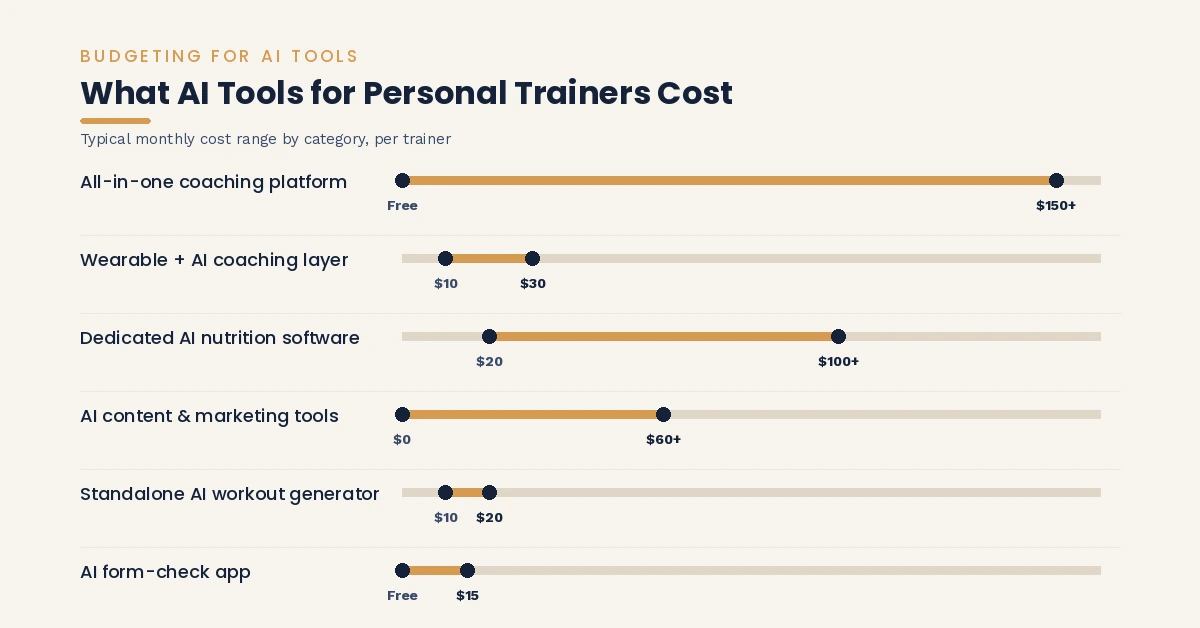
| Category | Typical Monthly Cost Range |
|---|---|
| All-in-one coaching platform | Free tier up to $150+/month depending on client count and add-ons |
| Standalone AI workout generator | $10 to $20/month |
| AI form-check app | Free to $15/month, often tiered by number of scans |
| Dedicated AI nutrition software | $20 to $100+/month depending on client volume and white-labeling |
| Wearable plus AI coaching layer | $10 to $30/month subscription, on top of device cost |
| AI content and marketing tools | $0 to $60/month per tool, more if you’re stacking several |
Most of these offer a free trial or a limited free tier, so test a tool on a real workflow before you commit to paying for a full year.
How to Start Using AI Tools as a Personal Trainer
If you’re starting from zero, don’t try to adopt five tools in a week. A slower, more deliberate rollout sticks better:
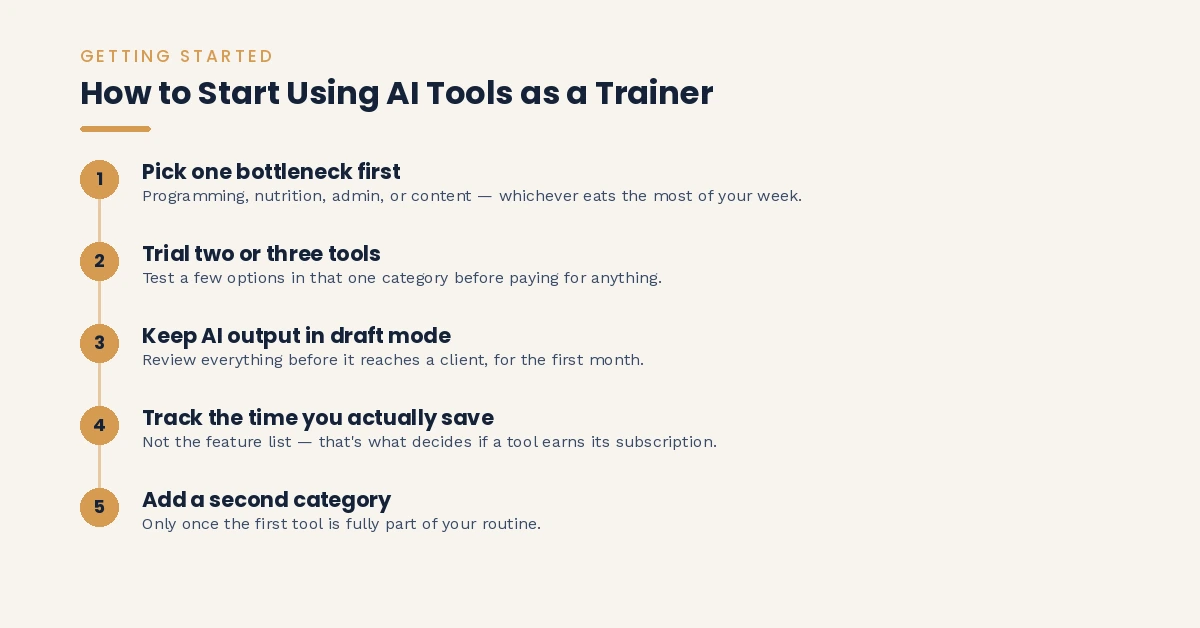
- Pick one bottleneck first. Programming, nutrition, admin, or content, whichever one actually eats the most of your week.
- Trial two or three tools in that one category before paying for anything.
- Keep every AI output in draft mode for the first month. Review everything before it reaches a client.
- Track the time you actually save, not the feature list, to decide whether a tool earns its subscription.
- Add a second category only once the first is fully part of your routine. Stacking too many new tools at once is how most trainers end up abandoning all of them.
Frequently Asked Questions
Can AI replace a personal trainer?
No, not for the parts of coaching that depend on judgment, relationship, and hands-on correction. AI is strongest at the repetitive, data-heavy work around coaching, programming templates, check-in drafts, meal plan structures, not at the parts that require reading a person in the room.
What’s the best free AI tool for personal trainers to start with?
Most all-in-one platforms, including Trainerize and Everfit, offer a free tier for a single client, which is a low-risk way to test an AI Workout Builder or meal planner before paying. ChatGPT also has a capable free tier for drafting content and program outlines.
Is ChatGPT good enough to write client workout programs?
It’s good enough for a first draft or a template you then edit, but it doesn’t know a client’s injury history unless you type it in, and its output usually needs reformatting to fit your actual coaching software. Treat it as a starting point, not a finished product.
Are AI form-check apps accurate enough to trust?
They’re reliable at catching obvious breakdowns, like shallow depth or caving knees, but accuracy drops on advanced or heavily loaded lifts where subtle technique flaws matter most. Use them as a support tool alongside your own eyes, not a replacement for them.
Do I need to tell clients I’m using AI tools?
There’s no universal legal requirement, but transparency builds trust. Most trainers mention it briefly, for example noting that meal plans are AI-generated and reviewed by you, so clients understand what’s automated and what’s personally checked.
What AI tool should a brand-new personal trainer start with?
Start with whichever all-in-one coaching platform you plan to run your business on long-term, since most of the AI features (workout building, meal planning, check-ins) are already bundled in rather than requiring separate subscriptions.
Can AI tools actually help with client retention?
Yes, mainly through automated check-in analysis and churn flags that catch a disengaging client early. The retention itself still comes from how you use that information, a data flag only helps if you follow up with a real conversation.
Final Thoughts
The best AI tools for personal trainers and fitness coaches aren’t the ones with the longest feature list. They’re the ones that fix your actual bottleneck, whether that’s programming speed, nutrition planning, client check-ins, or the marketing grind that comes with running your own business.
Start with one category, test it against a real workflow, and only add more once the first tool has genuinely earned its place. AI can hand you back hours every week. What you do with those hours, more client attention, better programming, actual rest, is still entirely up to you.