
Table of Contents
Quick Answer
The best AI tools for Etsy shop management fall into five groups: SEO and listing tools (eRank, Marmalead, Alura, Sale Samurai, EverBee), writing assistants for titles and descriptions (ChatGPT, Claude, or Etsy’s own Writing Assistant), customer service helpers that draft replies to buyer messages, product photography tools (Photoroom, Pebblely), and inventory or bookkeeping software (Craftybase). Most sellers don’t need all of them on day one. Start with one SEO tool, one photo tool, and Etsy’s built-in Writing Assistant if it’s available in your account, then add inventory and bookkeeping software once your listing count grows. Whatever you use, Etsy now requires disclosure when AI meaningfully shapes a listing, so treat compliance as part of your tool selection, not an afterthought.
What “AI Tools for Etsy Shop Management” Actually Covers
Etsy shop management isn’t one job. It’s several jobs stacked on top of each other, usually handled by one person. AI tools have shown up in nearly every corner of that workload:
- Search and listing optimization: finding keywords buyers actually type into Etsy search, then working them into titles, tags, and descriptions
- Product copywriting: turning a rough product idea into a title, description, and set of tags
- Customer service: drafting replies to buyer questions about sizing, shipping, and customization
- Product photography: cleaning up backgrounds, generating lifestyle scenes, and creating mockups
- Shop operations: tracking inventory, calculating true product cost, and syncing books
- Marketing: scheduling social posts and building email campaigns around your shop
A seller running five listings has very different needs than a print-on-demand shop running five hundred, so the right AI tools for Etsy shop management look different at every stage. The rest of this guide walks through each category, tells you honestly what each tool does well, and flags where AI creates risk rather than removing it.
Etsy’s Own Built-In AI Features (Worth Checking Before You Pay for Anything)
Before shopping around for third-party AI tools for Etsy shop management, it’s worth knowing that Etsy has been building AI features directly into the seller dashboard. These cost nothing extra since they’re part of your existing seller account, and because they’re built by Etsy, they’re less likely to run into policy friction than outside tools.
Writing Assistant for Buyer Messages
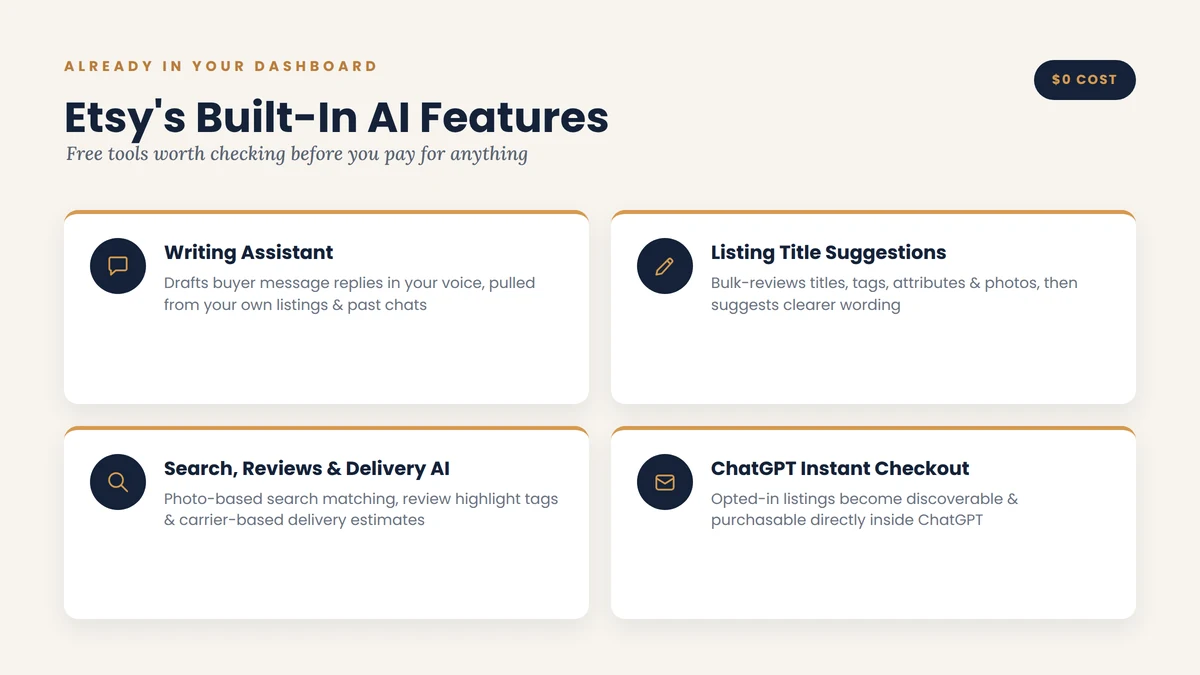
Etsy’s Writing Assistant is an optional, AI-powered drafting tool built into Etsy Messages. It pulls context from your own listings and past conversations to draft a reply in your voice, and you review, edit, or rewrite it before sending. It’s currently rolling out to select English-speaking US sellers rather than every account.
The reason Etsy built this at all comes down to a number worth remembering: sellers who reply to pre-purchase messages within two days convert at roughly 27% higher rates than those who take longer, based on Etsy’s own 2024 conversion data. Speed matters more than most sellers assume, and slow replies quietly cost sales long before they cost you a bad review.
Listing Title Suggestions
This is a bulk-edit tool that reviews your existing titles, tags, attributes, descriptions, first photo, and even your reviews, then suggests clearer, more buyer-friendly titles. You’ll see it inside your Search Visibility dashboard if you have eligible English-language listings. You can accept a suggestion as-is, edit it to match your shop’s voice, or ignore it entirely.
AI Behind the Scenes: Search, Reviews, and Delivery Estimates
Some of Etsy’s AI use isn’t a tool you open, it just runs in the background:
- Image-based search matching helps buyers find your items using photo search, not just typed keywords
- Review highlight tags surface recurring themes from your reviews, like “fast shipping” or “very well made,” so new buyers get a quick trust signal
- Estimated delivery dates are calculated from your shipping history and real carrier transit data, not just the processing time you set manually
ChatGPT Shopping and Instant Checkout
If you’re a US seller opted into Offsite Ads, your listings may now be discoverable and purchasable directly inside ChatGPT through an Instant Checkout integration. There’s currently no additional fee for sales made this way, and orders show up in your normal Orders page like any other sale. This matters because it signals where Etsy expects buyer discovery to head next: AI shopping agents are becoming a real traffic source, not just a novelty.
Etsy has been clear that all of these tools are optional and reviewable, and that they’re meant to support your workflow, not write your shop’s voice for you. Keep that framing in mind as you evaluate third-party tools too.
A few more native features have rolled out alongside the ones above: attribute suggestions that fill in missing listing details from your description and photo, an AI-powered layer inside Etsy’s support chat that answers common account and policy questions faster, and AI-generated summaries inside Shop Stats that flag trends in your performance data. None of these replace the paid AI tools for Etsy shop management covered later in this guide, but they’re free and already sitting in your dashboard, so it’s worth checking what’s live on your account before adding a paid tool that does something similar.
Best AI Tools for Etsy SEO and Listing Optimization
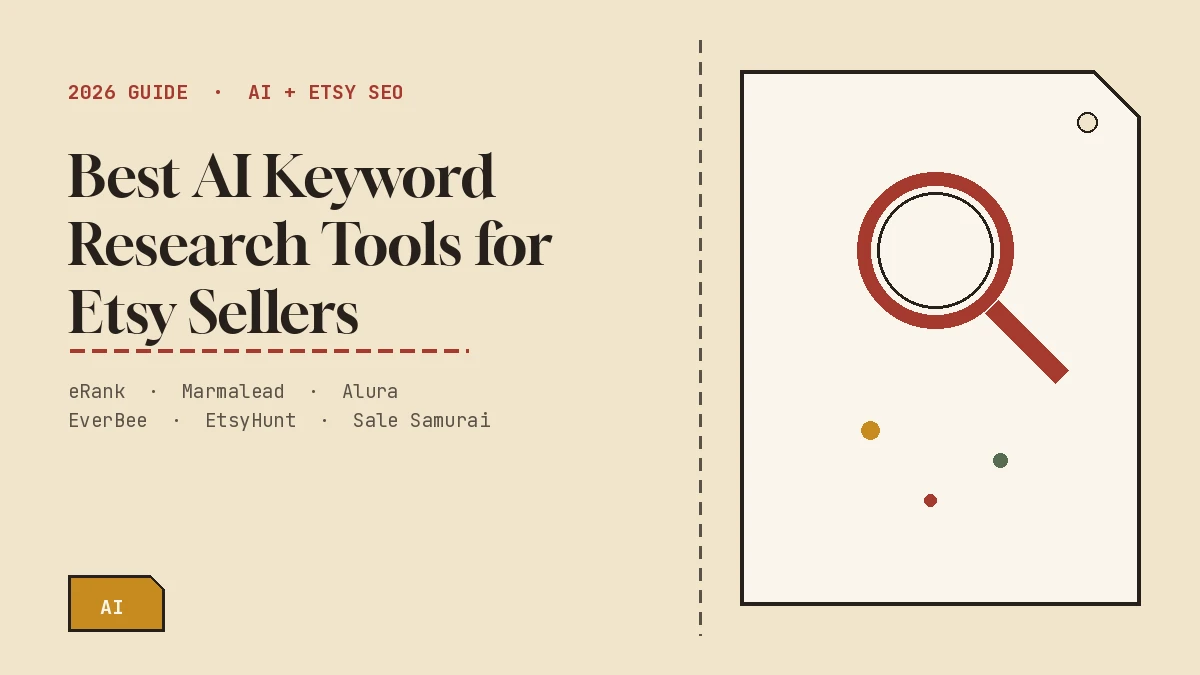
These tools pull real Etsy marketplace data, search volume, competing listings, trending tags, which is something a general AI assistant like ChatGPT simply doesn’t have access to. Among all the AI tools for Etsy shop management covered in this guide, SEO tools are usually the one worth adding first, since discoverability is what everything else depends on.
eRank
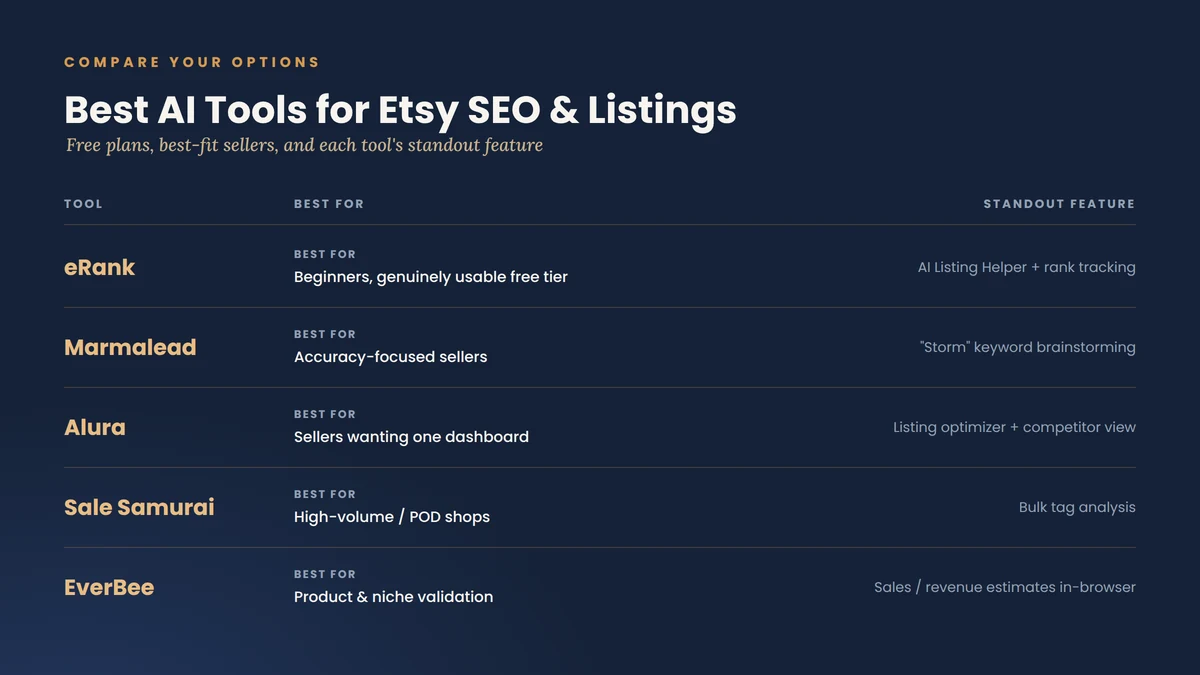
eRank is the tool most beginners land on first, largely because its free plan is genuinely usable rather than a stripped-down trial. It includes a keyword explorer, tag reports, listing grading, and an AI Listing Helper for generating title and tag ideas. Paid plans add deeper trend data and rank tracking.
Pros:
- Free tier that’s actually useful, not just a teaser
- Beginner-friendly interface with clear explanations
- Affordable paid tiers compared to some competitors
Cons:
- Keyword volume estimates aren’t as granular as some higher-priced tools
- Advanced features are locked behind paid plans
Marmalead
Marmalead is one of the oldest Etsy-specific SEO tools, and its “Storm” brainstorming feature is its signature strength: type in a product idea and it expands into dozens of related keyword phrases with search volume and competition scores attached. It also includes a listing audit that grades your existing listings and an AI coaching flow aimed at new sellers.
Pros:
- Deep, Etsy-specific keyword data most sellers trust for accuracy
- Listing audit gives concrete, prioritized fixes rather than vague advice
- Strong educational resources for sellers new to SEO
Cons:
- Pricier than some alternatives, with no permanent free plan
- Some sellers report the interface feels dated compared to newer tools
Alura
Alura combines keyword research, a listing optimizer, and competitor analysis in a single dashboard, which appeals to sellers who don’t want to juggle multiple logins. The free starter plan includes a daily search allowance that’s enough for a solo shop.
Pros:
- One dashboard for research, optimization, and competitor tracking
- Genuinely useful free tier for smaller shops
- Modern, easy-to-navigate interface
Cons:
- Keyword data is a step behind eRank and Marmalead in granularity
- Competition scoring is broader rather than listing-specific
Sale Samurai
Sale Samurai leans toward sellers managing large catalogs, particularly print-on-demand shops. Its bulk tag analysis lets you compare keyword performance across many listings at once instead of one at a time, which saves real hours if you’re running hundreds of SKUs.
Pros:
- Affordable pricing relative to feature set
- Bulk tools built for high-volume sellers
- Large keyword database
Cons:
- Relies more on estimated data than tools like Marmalead
- Less useful for very small shops with just a handful of listings
EverBee
EverBee started life as a product research tool rather than a pure SEO tool. It’s a Chrome extension that shows estimated sales and revenue on Etsy listings as you browse, which is genuinely helpful for validating a product idea before you invest in materials. It has since added AI listing-writing features on top.
Pros:
- Strong for product and niche validation before you commit
- Convenient Chrome extension format, no separate dashboard needed
- Generous free plan for the data you get
Cons:
- Sales estimates are exactly that, estimates, not confirmed numbers
- Less depth on pure keyword research than dedicated SEO tools
Quick Comparison
| Tool | Best For | Free Plan | Paid Plans From | Standout Feature |
|---|---|---|---|---|
| eRank | Beginners | Yes, genuinely usable | $5.99/mo | AI Listing Helper + rank tracking |
| Marmalead | Accuracy-focused sellers | No, 14-day trial only | $19/mo | “Storm” keyword brainstorming |
| Alura | All-in-one dashboard | Yes, daily search limit | ~$8/mo | Listing optimizer + competitor view |
| Sale Samurai | High-volume/POD shops | No, trial only | $9.99/mo | Bulk tag analysis |
| EverBee | Product validation | Yes, generous | $29.99/mo | Sales/revenue estimates in-browser |
Pricing and free-plan limits change often (eRank alone has three paid tiers up to around $29.99/mo for its Expert plan), so treat this table, and every other pricing table in this guide to AI tools for Etsy shop management, as a starting shortlist rather than a locked-in quote. Confirm current terms on each provider’s site before subscribing.
AI Tools for Writing Etsy Listings and Product Descriptions
Etsy-specific SEO tools are good at telling you which keywords to use. They’re often weaker at writing description copy that actually sounds like a person wrote it. That’s where general AI assistants like ChatGPT and Claude tend to outperform purpose-built Etsy SEO tools, at least on the actual sentence-level writing.
The tradeoff is that these general assistants have no idea what’s currently searched on Etsy. The practical workflow most sellers land on:
- Pull keyword data from an Etsy-specific tool like eRank or Marmalead
- Feed those exact keywords into a prompt for ChatGPT or Claude, along with product details, materials, dimensions, and who it’s for
- Ask for a few title variations and one full description, then edit the result into your own voice
- Run the final version back through a listing grader if your SEO tool offers one
Being specific in your prompt matters more than which tool you use. A vague prompt like “write a description for a candle” produces generic copy every time. Including the scent notes, burn time, jar material, and who you imagine buying it gives the AI something real to work with, and it shows in the output.
Some newer Etsy-specific listing generators, built by companies like Marmalead and a handful of smaller startups, now combine both jobs: they pull real search data and write the copy in one pass. These are worth trying if you’d rather not juggle two tools, though the general-assistant-plus-keyword-tool combo still tends to produce more natural-sounding copy for handmade or story-driven products.
AI Tools for Etsy Customer Service and Buyer Messages
Customer service is where sellers get the most anxious about AI, and for good reason. Etsy shoppers expect a personal touch that reflects the handmade, small-shop nature of the platform. A robotic, obviously auto-generated reply can do more damage to buyer trust than a slightly slower human response, which is exactly why the best AI tools for Etsy shop management treat messaging as a drafting aid, not a replacement for you.
Why Response Time Matters So Much on Etsy
Etsy’s Star Seller badge, its official recognition for consistently good service, requires a 95% message response rate with first replies sent within 24 hours, a 4.8-star average rating, and 95%+ on-time shipping, evaluated on a rolling three-month basis. Etsy has said the badge itself doesn’t directly boost search ranking, but the underlying habits it rewards, fast replies and satisfied buyers, absolutely do affect how your shop performs. That’s the real reason customer service tools matter: not the badge, but what earning it actually requires of you day to day.
Etsy’s Writing Assistant (Recap)
Covered above, this is the safest starting point for AI-assisted customer service because it’s built by Etsy, trained on your own shop data, and keeps you reviewing every message before it sends.
Third-Party Message Drafting Tools
A handful of browser extensions and apps now sit on top of Etsy Messages specifically to draft first-response replies. These tools typically work by:
- Reading the buyer’s question and pulling relevant context (order status, shipping policy, product details)
- Offering ready-made templates for common situations: delays, custom orders, refunds, sizing questions
- Including built-in translation so you can support international buyers without a language barrier
- Letting you review and edit before anything is sent
One important limitation to understand: Etsy does not currently allow fully automated, unreviewed AI replies to be sent directly through its messaging system on your behalf. Third-party tools work around this by drafting the message for you to copy, edit, and send yourself, not by auto-sending on your behalf. Anything that claims to auto-send messages without your review should be treated with caution, both for policy reasons and because an unreviewed AI reply can easily say something inaccurate about your specific order.
Chatbots and Broader Automation Platforms
Some sellers connect Etsy to more general automation or chatbot platforms, tools like eDesk or Replyco, to handle FAQs, centralize buyer messages from multiple channels into one inbox, or route complex complaints to a human. These tend to make more sense for larger shops with high message volume than for a solo seller handling a dozen conversations a day. If you’re evaluating one, prioritize tools that:
- Pull real product details (materials, sizing, care instructions) rather than generic scripted answers
- Clearly escalate anything involving a complaint, custom request, or refund to a human
- Give you full editing control over tone and wording
- Provide basic analytics on response time and common questions, so you can turn recurring questions into better listing copy
AI Product Photography Tools for Etsy Listings
Photography is arguably the single biggest lever on Etsy conversion rates, and it’s also the most expensive thing to outsource traditionally. Professional product photography can run well over a thousand dollars a day for a studio session. This is one area where AI tools for Etsy shop management have made a genuinely expensive problem accessible for a monthly subscription instead.
Photoroom
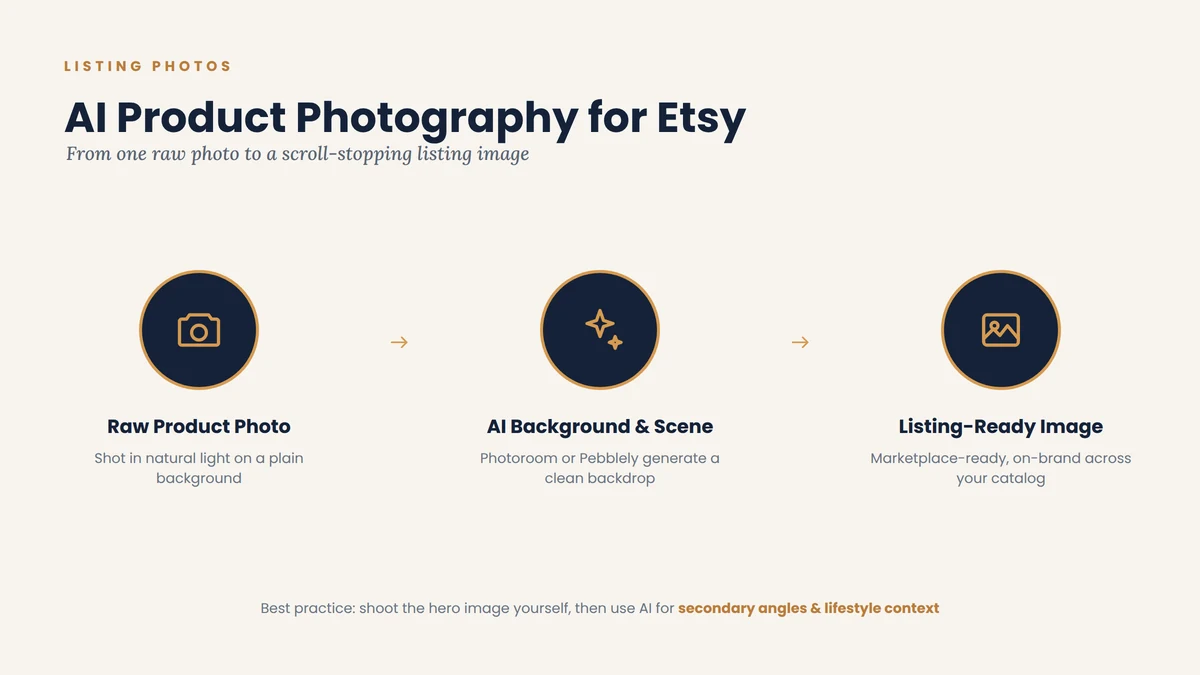
Photoroom is built specifically with sellers in mind rather than general photo editing. Its background remover, ghost mannequin effect, virtual model feature, and flat-lay tool cover most of what an Etsy product photo needs. It also supports bulk editing, which matters once your catalog grows past a handful of items.
Pros:
- Strong free tier (roughly 250 exports a month)
- Built for e-commerce specifically, with marketplace-ready templates
- Works well on mobile, useful if you photograph on your phone
Cons:
- Backgrounds can look slightly artificial in complex scenes
- Less suited to atmospheric, story-driven lifestyle shots than pure background swaps
Pebblely
Pebblely generates lifestyle-style backgrounds and scenes from a single product photo. Its free tier, 40 images a month with no watermark, is one of the more generous entry points for a brand-new shop that just needs a few clean listing photos to get started.
Pros:
- Very approachable free plan for new sellers
- Fast turnaround, upload one photo and get several scene variations
- Simple template system for visual consistency
Cons:
- Limited to background changes rather than full scene or angle generation
- No bulk editing, which becomes a bottleneck once your catalog grows
Canva
Canva isn’t a dedicated product photography tool, but its AI background removal and design templates make it a practical choice for sellers who need complete listing graphics, think sale banners, size charts, or infographic-style photos, rather than just clean product shots.
If you run a print-on-demand shop and need dozens of mockups at once rather than editing photos one at a time, a bulk mockup generator like Dynamic Mockups is worth a look. It’s built specifically for producing on-brand mockups at volume across a large catalog, which the tools above aren’t really designed for.
| Tool | Free Plan | Paid Plans From | Note |
|---|---|---|---|
| Photoroom | Yes, ~250 exports/mo, watermarked | Roughly $7.50 to $13/mo depending on billing cycle | Price varies noticeably between monthly and annual billing |
| Pebblely | Yes, 40 images/mo, no watermark | Around $19/mo for 500 images | Simple per-image scaling as you upgrade tiers |
Both tools run frequent tier changes and regional pricing, so these are directional numbers, not quotes. Check the live pricing page before you commit to a plan.
A sensible approach for most handmade sellers: photograph your actual product yourself in good natural light for the hero image (buyers can often tell the difference on handmade items, and authenticity matters here), then use an AI tool for secondary angles, lifestyle context, and consistent backgrounds across your catalog.
AI Tools for Etsy Inventory, Bookkeeping, and Pricing
Inventory and bookkeeping are the least glamorous part of Etsy shop management, and the part most sellers put off the longest, usually until tax season arrives and they realize their spreadsheet doesn’t actually reflect what each product cost to make. It’s also where AI tools for Etsy shop management quietly save the most money, by catching pricing mistakes before they eat your margin.
Craftybase
Craftybase is built specifically for makers rather than adapted from generic small-business accounting software. It tracks raw material inventory, calculates true cost of goods sold (COGS) per product using actual material and labor costs, and syncs directly with Etsy to import orders, product data, and fees automatically. Growth-tier plans push COGS and inventory valuations directly into QuickBooks Online as journal entries.
Pros:
- Purpose-built for handmade and manufactured goods, not retrofitted
- Calculates true per-unit cost, materials, packaging, labor, not just revenue minus expenses
- Direct Etsy integration pulls sales and fee data automatically
- Suggests pricing based on your actual costs, removing a lot of the guesswork
Cons:
- Not a full double-entry accounting system on its own, you’ll likely still want QuickBooks or a bookkeeper for tax filing
- Overkill for a very small shop selling a handful of digital downloads with no physical inventory
QuickBooks (Paired with a Dedicated Inventory Tool)
QuickBooks Online remains the standard for small business accounting generally, handling invoicing, bank connections, and financial reporting well. Its basic Etsy integration automates sales and expense categorization, but it doesn’t track raw materials or calculate true COGS on its own. Most makers who use QuickBooks pair it with a tool like Craftybase specifically to fill that gap.
| Tool | Starting Price | What It’s For |
|---|---|---|
| Craftybase | Around $24/mo | Raw material tracking, true per-unit COGS, Etsy sync |
| QuickBooks Online | Roughly $35 to $235/mo by plan | General bookkeeping, invoicing, financial reporting |
Craftybase’s own pricing page and QuickBooks’ plan tiers are the sources to check directly, since both companies adjust tiers periodically.
If your shop sells finished, non-manufactured goods (vintage resale, for instance), QuickBooks alone may be enough. If you’re making products from raw materials, you’ll likely need the pairing.
Etsy’s AI Disclosure Rules: What Every Seller Needs to Know
This section matters more than any tool recommendation in this guide. Using AI tools for Etsy shop management is allowed, but it comes with real, enforceable requirements, and getting this wrong can mean reduced visibility or listing removal, regardless of how good your product is.
Under Etsy’s Creativity Standards, listings are categorized by how they were made:
- “Made by”: items the seller crafted, altered, or assembled themselves, including work made with tools like a Cricut or 3D printer, using the seller’s own original design
- “Designed by”: original designs by the seller, including AI-generated art, whether sold as a digital download or produced by a third-party manufacturer
- “Handpicked”: vintage or curated goods the seller sourced rather than made
- “Sourced”: craft supplies and materials intended for a buyer’s own creative use
If generative AI meaningfully shaped a listing’s text, image, or design, current guidance is to disclose that clearly, using the correct attribute or dropdown Etsy provides in the listing editor, and to use accurate language in your description rather than implying something is hand-painted or exclusive when it isn’t. Etsy has stated plainly that AI-generated art and products are allowed, but only when the seller plays a genuine creative role, is transparent about their process, and doesn’t pass machine output off as handmade or fully original.
Practical compliance steps that take most sellers a few minutes per listing:
- Check the AI disclosure box or attribute in the listing editor if AI meaningfully shaped your image, description, or design
- Use “Designed by” rather than “Made by” where that’s the accurate category
- Add one short, factual sentence in your description naming the tool or process if it materially affects what the buyer is getting
- Keep this consistent across your whole shop, not just new listings, since Etsy has been reviewing existing listings too
Etsy has continued refining enforcement into 2026, and the trend has been toward stricter, not looser, disclosure expectations. Treat this as an ongoing part of running your shop, not a one-time checkbox.
The Real Risks: Where AI Tools Can Hurt Your Etsy Shop
A fair guide to AI tools for Etsy shop management has to cover the downside honestly, because it’s real and it’s already playing out on the platform.
Buyer trust is fragile once broken. NBC News documented buyers in Etsy’s crochet pattern niche noticing AI-generated listing images with telltale signs, unnatural lighting, oddly rendered hands, backgrounds that looked slightly too perfect, and posting reviews warning other shoppers when the finished product didn’t match the AI-generated preview image. Once a shop’s authenticity is publicly questioned in reviews, it tends to affect every future sale, not just the disputed one.
Intellectual property risk is genuinely murky. Unlike a photo you took yourself, AI-generated visuals often lack clear ownership or legal precedent behind them. Sellers have had listings removed over IP concerns tied to AI-generated content they believed was compliant when they created it.
Etsy’s brand identity is built around “human made,” and buyers know it. Etsy has faced public criticism, including from its own longtime sellers, over the growing volume of AI-generated and mass-produced-feeling listings crowding out original handmade work. The platform has responded with marketing campaigns reinforcing its human-made positioning and policy tightening, which tells you where buyer sentiment and platform incentives are both heading.
None of this means avoid AI tools. It means use them for the jobs they’re actually good at, keyword research, drafting a first-pass reply for you to personalize, cleaning up a background, calculating your true product cost, and keep a human hand on anything that touches what the buyer sees as the core of your creative work: the product itself and your voice in describing it.
How to Build Your AI Tool Stack (By Shop Stage)
There’s no single “right” stack of AI tools for Etsy shop management. What makes sense depends heavily on your listing count and how much of your time is going to repetitive tasks versus making.
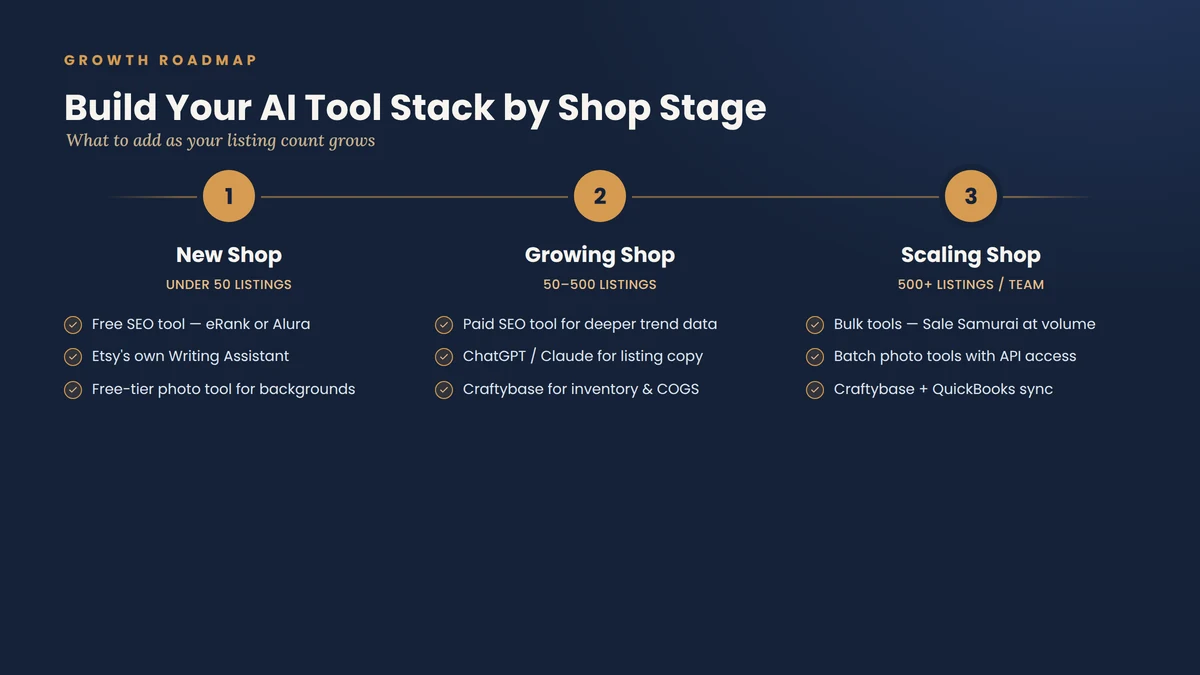
New Shop (Under 50 Listings)
- One free-tier SEO tool: eRank or Alura are the easiest starting points
- Etsy’s own Writing Assistant, if it’s available in your account
- A free-tier photo tool like Pebblely or Photoroom for background cleanup
- Skip paid inventory software for now; a simple spreadsheet is fine at this scale
Growing Shop (50 to 500 Listings)
- Upgrade to a paid SEO tool for deeper trend data and bulk listing audits
- Add a general AI assistant (ChatGPT or Claude) into your listing-writing workflow, paired with keyword data from your SEO tool
- Introduce Craftybase or similar inventory software once tracking materials by hand starts eating real time
- Set up message templates and Etsy’s Writing Assistant to protect your Star Seller response rate as message volume grows
Established or Scaling Shop (500+ Listings, Multi-Channel, or a Team)
- Bulk tag and listing tools like Sale Samurai become worth their cost at this volume
- Photography tools with batch processing and API access (rather than one-image-at-a-time tools) save meaningful hours
- Full inventory and bookkeeping sync (Craftybase paired with QuickBooks) becomes close to essential for accurate tax filing
- Consider a broader customer service platform if message volume outpaces what one person can review individually, while keeping human review on anything sensitive
Frequently Asked Questions
Is it against Etsy’s rules to use AI tools for Etsy shop management?
No. Etsy explicitly supports AI-assisted shop management and has built several AI features directly into the seller dashboard. What Etsy requires is disclosure when AI meaningfully shapes what a buyer sees, particularly listing images, descriptions, and designs, and that you don’t misrepresent AI-assisted work as fully handmade.
Can AI tools respond to Etsy messages automatically without me reviewing them?
Not through Etsy’s own system. Etsy’s Writing Assistant and third-party message tools draft replies for you to review, edit, and send yourself. Auto-replies for vacation mode or set responses are a separate feature and count differently for your Star Seller metrics.
Which AI tool should a brand-new Etsy seller try first?
Start with a free-tier SEO tool like eRank to learn keyword research, and check whether Etsy’s Writing Assistant is available in your account. Both cost nothing and address the two areas, discoverability and response time, that affect new shops the most.
Do AI-written product descriptions hurt my Etsy SEO?
Not inherently. AI-written product descriptions won’t hurt that much Etsy SEO. Etsy’s search algorithm ranks based on keyword relevance, listing quality signals, and buyer behavior, not on whether a human or AI wrote the words. What hurts SEO is generic, keyword-stuffed copy that doesn’t answer buyer questions, regardless of who or what wrote it.
Is Craftybase worth it for a small handmade shop?
If you’re making products from raw materials, even a small shop benefits from knowing true per-unit cost rather than guessing at pricing. Craftybase plans start around $24/month, and the pricing clarity alone often pays for the subscription within a few sales.
Will using AI product photos get my listing removed?
Not automatically, but you do need to disclose AI use where it meaningfully shaped the image, and the photo still has to accurately represent what the buyer will receive. Listings have been removed for AI-generated images that misrepresented the finished product, not for AI use itself.
Conclusion
AI tools for Etsy shop management aren’t a single product you buy once, they’re a set of choices you make across SEO, customer service, photography, and operations, based on where your shop actually is right now. A brand-new seller gets the most value from free keyword tools and Etsy’s built-in Writing Assistant. A growing shop benefits from pairing keyword data with general AI writing assistants and adding real inventory tracking. A scaling shop needs bulk tools and tighter bookkeeping sync to keep up with volume.
The common thread across every stage is the same: let AI handle the repetitive, data-heavy work, keyword research, first-draft replies, background cleanup, cost calculations- and keep your own hand on the parts that make your shop yours. Disclose AI use where Etsy requires it, stay honest with buyers about what they’re getting, and the tools in this guide will save you real hours without costing you the trust that makes an Etsy shop work in the first place.
If you’re looking for a full package of AI tools for Etsy sellers, then you can follow our complete Best AI tools for Etsy sellers pillar guide.