
Table of Contents
Quick Answer
The best AI content creation tools for fitness coaches fall into five categories: writing assistants like ChatGPT, Claude, and Jasper for captions, emails, and blog posts; design tools like Canva Magic Studio for graphics and carousels; video tools like Descript and Opus Clip for turning workout footage into short-form clips; fitness-specific platforms like Blaze AI and Uplo that understand training terminology out of the box; and scheduling tools that use AI to plan and auto-post across Instagram, TikTok, and Facebook. Most coaches don’t need all of them.
A solid starting stack is one writing tool, one design tool, and one video repurposing tool, which together can turn a single client session or workout demo into a week’s worth of content. Below is a full breakdown of each tool, what it actually does well, what it costs, and how to build a workflow that saves hours without making your content sound like everyone else’s.
Why Content Creation Eats Up So Much of a Fitness Coach’s Week
If you’re coaching clients, programming workouts, and still trying to post daily on Instagram, film Reels, write email newsletters, and keep a blog updated for SEO, you already know the problem. Content marketing works for growing a coaching business, but it’s also the task that gets pushed to 11pm or skipped entirely.
This is exactly where the right AI content tools earn their place in a fitness coaching business. They don’t replace your expertise on form cues, programming, or client psychology. What they do is handle the repetitive part: turning your knowledge into a caption, a blog draft, a carousel, or a short clip, so you spend less time staring at a blank page and more time coaching.
A few realities make this especially relevant for fitness professionals specifically:
- Fitness content lives across more formats than most niches: Instagram Reels, TikTok, YouTube Shorts, email check-ins, blog posts, and printed handouts for clients.
- Search intent in this space is highly visual. People searching for “how to deadlift” or “best glute exercises” expect video and images, not just text.
- Client trust depends on authenticity. Generic, AI-sounding captions actually hurt a coach’s credibility faster than in almost any other niche, because followers can tell when advice sounds templated instead of lived-in.
That last point matters more than most guides admit, so it’s worth keeping in mind through every tool recommendation below.
Types of AI Content Creation Tools Every Fitness Coach Should Know
Before comparing specific platforms, it helps to understand the categories, since most coaches end up combining two or three rather than relying on one all-in-one app.
AI Writing and Copywriting Tools
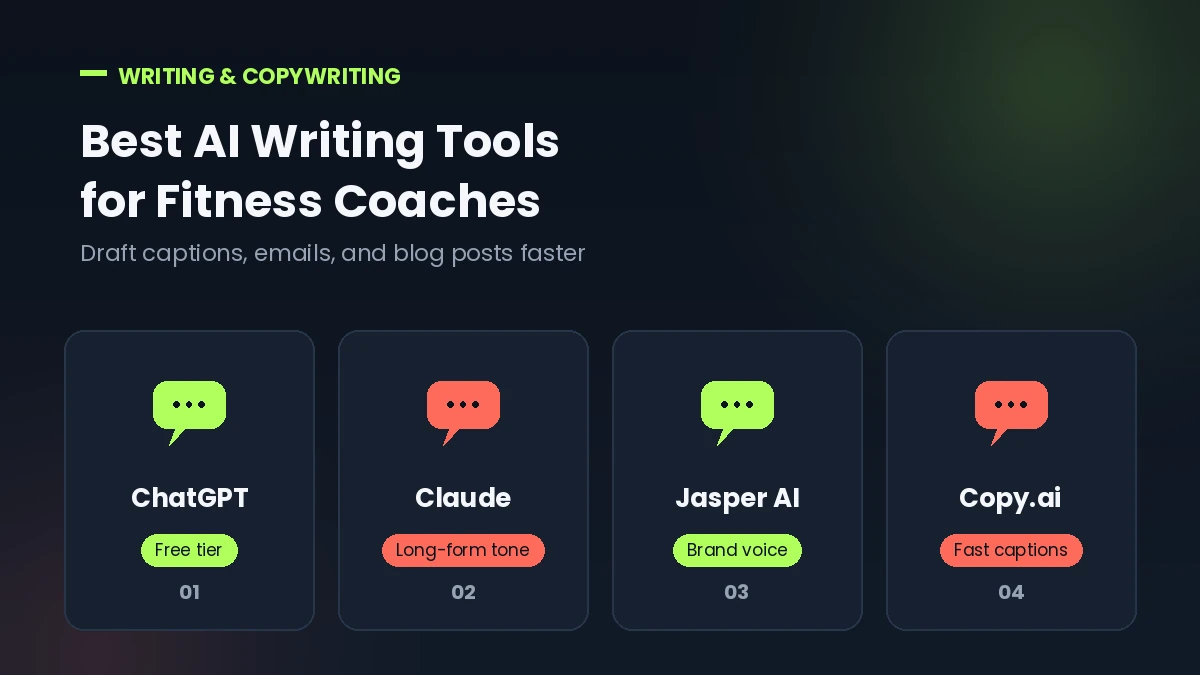
These generate first drafts of captions, blog posts, emails, and program descriptions. Think ChatGPT, Claude, Jasper, and Copy.ai. They’re the foundation of most content workflows because writing is usually the biggest time sink.
AI Design and Graphic Tools
These turn text and photos into branded visuals: Instagram carousels, quote graphics, before-and-after templates, and presentation-style content. Canva Magic Studio dominates this category for fitness businesses that don’t have a designer on staff.
AI Video and Repurposing Tools
These take existing footage, like a form-check video or a client testimonial, and turn it into captioned, platform-ready clips. Descript, Opus Clip, and Pictory lead here, each with a slightly different approach to the same problem.
Fitness-Specific AI Content Platforms
A smaller category of tools built specifically for the fitness and coaching niche, so the AI already understands terms like progressive overload, macros, and hypertrophy without extra prompting. Blaze AI and Uplo fall into this group.
AI Scheduling and Social Media Management Tools
Once content exists, these handle posting times, captions, and cross-platform distribution using AI to suggest optimal timing and hashtags.
Best AI Writing Tools for Fitness Coaches
ChatGPT
ChatGPT remains the most widely used starting point for fitness coaches who want help drafting captions, email sequences, blog outlines, or FAQ answers for their website. It’s flexible, conversational, and doesn’t require learning a new interface.
Pros:
- Free tier is genuinely usable for occasional content needs
- Handles long-form content, structured outlines, and conversational prompts well
- Easy to teach it your brand voice through custom instructions
Cons:
- Generic prompts produce generic, easy-to-spot AI content
- No built-in scheduling, design, or fitness-specific templates
- Requires more prompt engineering to get consistently on-brand results
Claude
Claude tends to handle nuance and longer documents well, which makes it useful for drafting client-facing materials that need a careful, human tone, like onboarding guides, program explanations, or sensitive client communication. Coaches researching this space often mention it as a strong alternative to ChatGPT for writing that needs to sound less templated.
Pros:
- Strong at maintaining a consistent, natural tone across longer pieces
- Good for research-backed content, like blog posts referencing training science
- Handles document-length client materials without losing coherence
Cons:
- Fewer native fitness-specific templates than niche tools
- No built-in image generation or scheduling features
Jasper AI
Jasper is a dedicated marketing copy platform built around brand voice memory, meaning it learns your tone once and applies it across future content. For coaches producing content daily across multiple channels, this consistency is the main selling point.
Pros:
- Brand voice training keeps captions and emails sounding consistent
- Strong for structured marketing copy: ads, landing pages, email sequences
- Includes SEO integration for blog content
Cons:
- Pricing sits higher than general-purpose tools, generally in the $39 to $69 per month range depending on plan and billing cycle
- Steeper learning curve than a simple chat interface
- Adding a second team member usually means jumping to a custom-priced business plan, since there’s no simple two-seat option
Copy.ai
Copy.ai built its reputation on fast, short-form copy: captions, bios, calls-to-action, and promotional lines. Its positioning has shifted over the past year toward larger marketing teams and workflow automation, which means the entry-level plan is leaner than it used to be.
Pros:
- Fast for short-form content like captions and social bios
- Free tier available for light, occasional use
- Multi-model support pulling from several underlying AI systems
Cons:
- Pricing has become less predictable, with a noticeable gap between the entry-level chat plan and the next tier built for larger teams
- Less suited to solo coaches than it was a couple of years ago
- No fitness-specific templates out of the box
Best AI Design Tools for Fitness Coaches
Canva Magic Studio
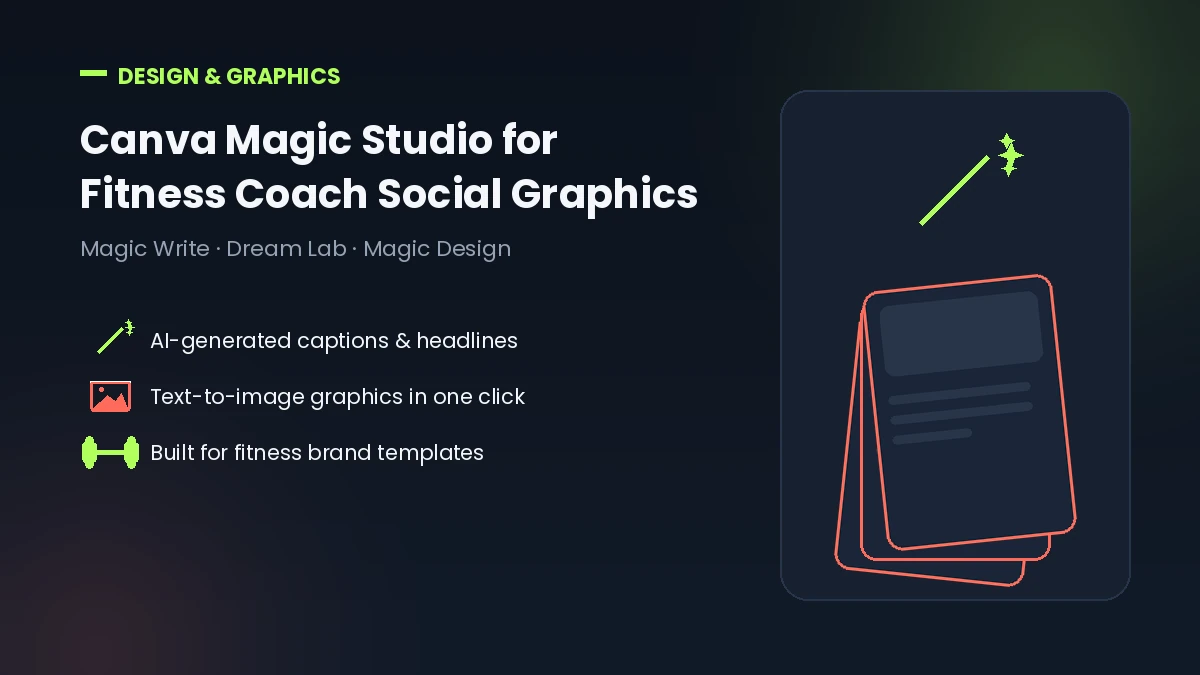
Canva’s AI features, bundled under Magic Studio, are built directly into the design tool most coaches already use for social graphics. Magic Write handles captions and headlines, Dream Lab generates images, and Magic Design builds entire templates from a text prompt.
Pros:
- Everything happens in one place: writing, image generation, and design
- Massive template library keeps AI-generated visuals looking professional and consistent
- Pro plan runs around $15 per month, which is affordable for a solo coach
Cons:
- Magic Write is convenient but weaker than a dedicated writing tool for longer content
- AI image credits run out quickly for coaches posting daily
- Image generation quality, while solid, isn’t at the level of dedicated art generators
Best AI Video Tools for Fitness Coaches
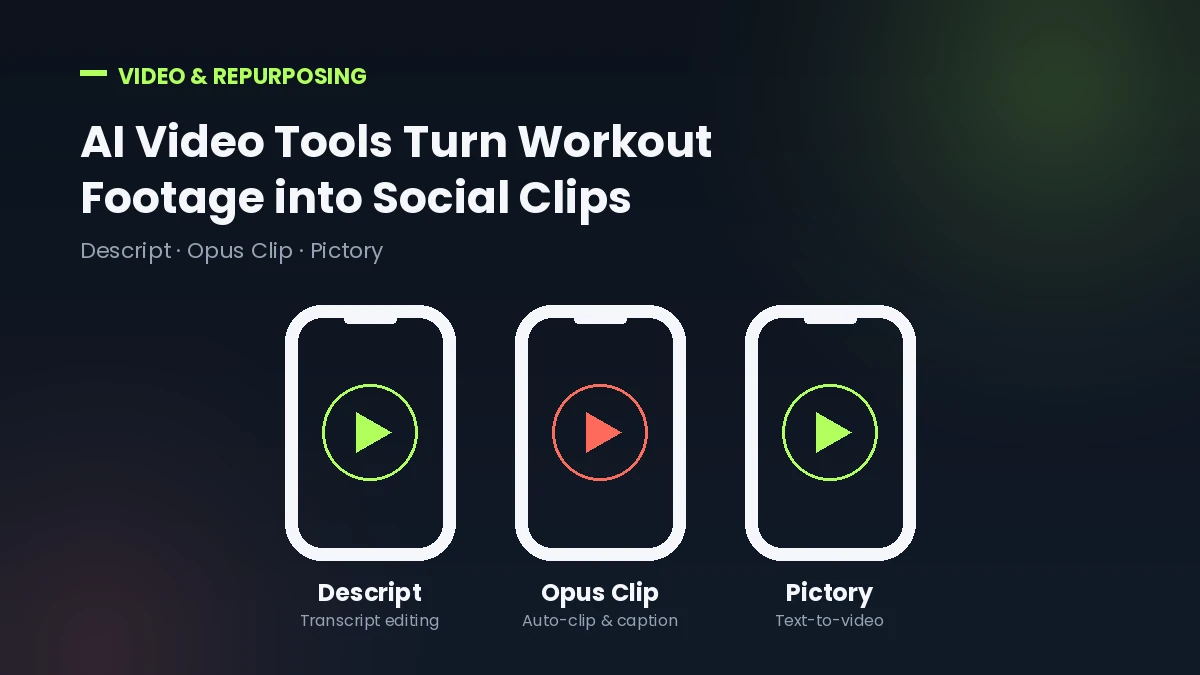
Video is arguably more important for fitness content than any other niche, since form demonstrations, transformation stories, and workout tutorials all rely on it.
Descript
Descript lets you edit video by editing a text transcript, which removes most of the technical friction from producing form-check videos, client testimonials, or short educational clips. You literally delete a sentence from the transcript and the matching video clip disappears.
Pros:
- Transcript-based editing is dramatically faster than timeline editing for talking-head content
- Includes AI voice cleanup, filler-word removal, and captioning
- Free plan available for testing before committing
Cons:
- Paid plans start around $16 to $24 per month and scale up based on media minutes and AI credit usage, which can get confusing
- Not built for short-form virality the way dedicated clipping tools are
- Steeper learning curve than a simple caption generator
Opus Clip
Opus Clip specializes in one thing: taking a long video, like a full workout session or podcast-style Q&A, and automatically finding the most engaging moments to turn into short vertical clips for TikTok, Reels, and YouTube Shorts. It scores clips by likely virality and adds captions automatically.
Pros:
- Genuinely fast: turns a long recording into multiple ready-to-post clips within minutes
- Auto-captioning is highly accurate, which matters for silent scrolling on social feeds
- Free tier available, with paid plans starting around $15 per month
Cons:
- Doesn’t create original video from scratch, only repurposes existing footage
- Credit-based system means costs scale with how much content you upload
- Limited manual editing control compared to Descript
Pictory
Pictory takes a different approach: it turns written content, like a blog post or script, into a video using stock footage, AI voiceover, and automatic captions. It’s a good fit for coaches who write first and want a video version of the same content.
Pros:
- Useful for turning existing blog content into video without filming anything new
- Per-video pricing model can work out cheaper for longer source material
- Also handles clipping long videos into shorts, similar to Opus Clip
Cons:
- Less accurate at identifying “best moments” in raw footage compared to dedicated clipping tools
- Stock footage and AI voiceover can feel generic without customization
- Plans typically start around $19 to $25 per month
Fitness-Specific AI Content Platforms
Blaze AI
Blaze is built specifically around content marketing for coaches, including fitness and life coaches, and understands niche terminology like bodybuilding, CrossFit programming, or macro coaching without much prompting. It generates social posts, email campaigns, and blog content while keeping a consistent brand voice, and includes scheduling.
Pros:
- Understands fitness-specific language and content types (transformation posts, workout tips, nutrition advice) natively
- Combines content generation with scheduling in one platform
- Strong brand voice consistency across formats
Cons:
- Pricing sits on the higher end for solo coaches, generally starting around $65 to $79 per month for meaningful features
- Focuses mainly on text-based content, so video still requires a separate tool
- Some users report the output needs editing to avoid sounding formulaic
Uplo
Uplo is a narrower, personal-trainer-focused tool that turns gym photos directly into social media captions by reading location, timing, and context from the image itself. It’s less of a full content suite and more of a fast caption generator built around a very specific workflow: snap a photo, get a caption.
Pros:
- Extremely fast for a specific use case: photo-to-caption for daily social posting
- Learns your tone over time to better match your voice
- Built only for personal trainers, so there’s no unrelated feature bloat
Cons:
- Narrow scope compared to full platforms like Blaze or Jasper
- Doesn’t cover blog content, email, or long-form writing
- Newer platform with a smaller track record than established tools
How to Choose the Right AI Content Tool for Your Coaching Business
The right stack depends less on which tool has the most features and more on where your time actually goes. A few questions worth answering honestly:
- What eats the most time right now? If it’s writing captions, start with a writing tool. If it’s editing video, start with Descript or Opus Clip.
- What’s your content format? Coaches who are camera-shy and write-first should lean toward Pictory or a writing tool paired with Canva. Coaches who film constantly should prioritize Descript or Opus Clip.
- What’s your budget? A workable starter stack (ChatGPT free tier or Claude, Canva Pro at roughly $15/month, and Opus Clip Starter at roughly $15/month) costs well under $50/month total.
- Do you need niche-specific language handled automatically? If generic AI tools keep producing content that needs heavy editing to sound like a fitness professional wrote it, a fitness-specific platform like Blaze may save more time despite the higher price.
Pricing across all of these tools changes often, sometimes multiple times a year, so it’s worth confirming current plans directly on each provider’s site before committing.
How to Use AI Content Tools Without Losing Your Coaching Voice
This is the part most guides skip, and it’s the part that actually determines whether AI content helps or hurts your business.
- Treat AI output as a first draft, not a final post. Every caption, email, or blog paragraph should get a pass where you add a specific detail only you would know, like a client’s actual experience or a coaching cue you use in real sessions.
- Feed it your own examples. Tools like Jasper and Claude produce noticeably better results when you paste in three or four of your best past posts and ask the AI to match that tone, rather than starting from a blank prompt.
- Keep video authentic. AI is excellent for captioning and clipping footage you’ve already filmed, but the footage itself, you coaching, demonstrating, and talking to camera, is what actually builds trust.
- Fact-check anything technical. If AI-generated content mentions specific rep ranges, recovery windows, or nutrition claims, verify it against your own training knowledge before publishing. AI tools can sound confident while being wrong.
- Be transparent when it matters. Most clients don’t mind that a caption was drafted with AI assistance. What they do mind is advice that feels impersonal or factually off. Being upfront about using AI as a tool, not a replacement, tends to build more trust, not less.
A Simple Weekly AI Content Workflow for Fitness Coaches
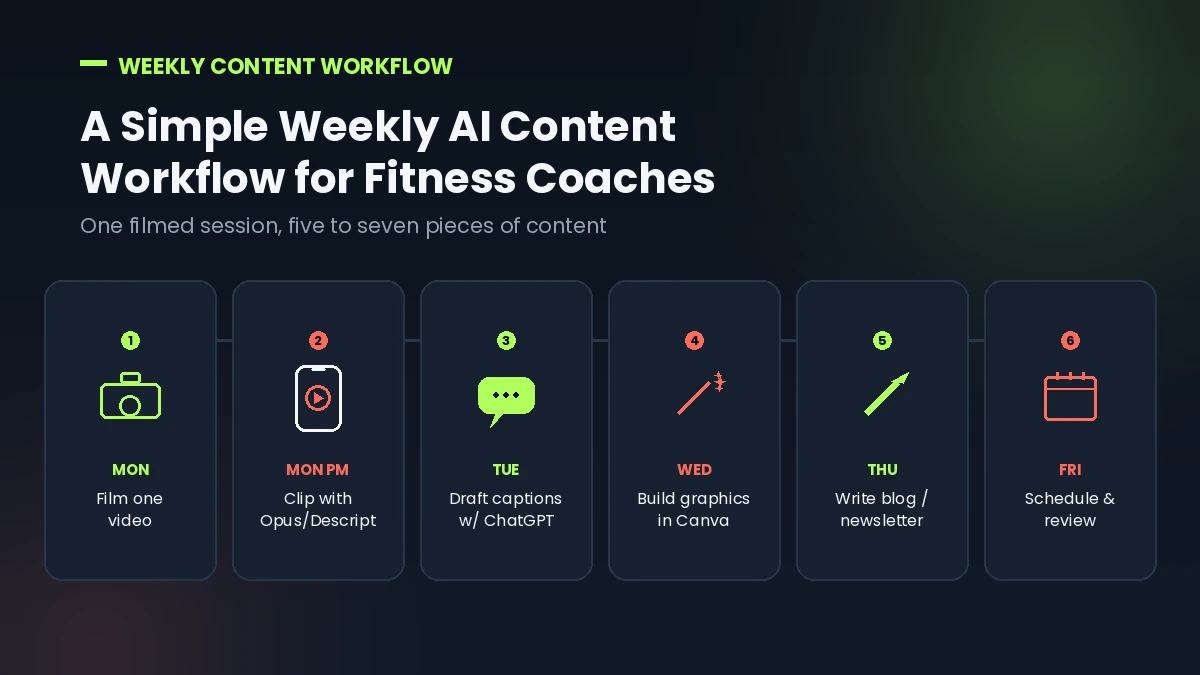
Here’s a realistic example of how these tools fit together over one week:
- Monday: Film one longer video, a form breakdown, client Q&A, or mini workout tutorial, during a normal session.
- Monday afternoon: Run the footage through Opus Clip or Descript to generate three to five short clips with captions.
- Tuesday: Use ChatGPT or Claude to draft five caption variations based on the same video, feeding it a couple of your previous high-performing posts for tone.
- Wednesday: Build two or three graphics in Canva Magic Studio, quote cards or tip carousels, using Magic Write for the on-image text.
- Thursday: Turn the week’s content into one blog post outline or client newsletter draft.
- Friday: Schedule everything for the following week using your chosen scheduling tool, reviewing and editing each caption before it goes live.
That single Monday session, with the right tools, can realistically produce five to seven pieces of content for the week instead of one.
Common Mistakes Fitness Coaches Make With AI Content Tools
- Posting AI output unedited. This is the single biggest reason AI content underperforms. A quick human pass fixes most of it.
- Using generic prompts. “Write a fitness Instagram caption” produces generic results. “Write a caption about why beginners overestimate how much cardio they need to lose fat, in a direct and slightly blunt tone” produces something usable.
- Buying too many tools at once. Most coaches only need one writing tool, one design tool, and one video tool. Stacking five subscriptions rarely means five times the output.
- Ignoring SEO on written content. Blog posts and website copy still need keyword research and on-page optimization. AI writing tools draft content, they don’t replace SEO strategy.
- Skipping the fact-check step on technical claims. This matters more in fitness than in most niches, since bad advice on training or nutrition can genuinely harm someone following it.
FAQs
What are the best free AI tools for fitness content creation?
ChatGPT’s free tier, Claude’s free tier, and Canva’s free plan cover the basics: drafting captions, writing short blog outlines, and building simple graphics. They’re a reasonable starting point before paying for anything, though free tiers usually cap monthly usage.
Can AI content tools replace a fitness coach’s voice on social media?
Not fully, and they shouldn’t. AI tools speed up drafting, but content that performs well for coaches almost always includes specific, personal detail, a real client story, a coaching cue, an opinion, that generic AI output doesn’t include on its own.
How much do AI content creation tools cost for fitness coaches?
A solo coach can build a solid starter stack for under $50 per month combining a free or low-cost writing tool, Canva Pro at roughly $15/month, and a video repurposing tool starting around $15 per month. Fitness-specific all-in-one platforms tend to run higher, often $65 to $80 per month.
Is AI-generated fitness content bad for SEO or against Google’s guidelines?
Google doesn’t penalize AI-assisted content specifically. It penalizes low-quality, unhelpful content, regardless of how it was produced. Content that’s edited, accurate, and genuinely useful to the reader can rank well whether AI helped draft it or not, in line with Google’s helpful content guidance.
Which AI tool is best for turning workout videos into social media clips?
Opus Clip is the strongest option specifically for finding the best moments in longer footage and turning them into short, captioned clips. Descript works better if you want more manual control over the edit itself.
Do I need to disclose AI-generated content to my fitness clients?
There’s no universal legal requirement for coaches in most regions, though this varies by platform and location, so it’s worth checking current rules where you operate. As a trust practice, being transparent that AI assists with drafting, while your expertise shapes the final content, tends to go over better than staying silent about it.
Conclusion
AI content tools for fitness coaches aren’t a replacement for coaching expertise, and the coaches who get the most value from them treat that as a firm rule, not a suggestion. The winning approach is usually a small, focused stack: one writing tool to speed up drafting, one design tool for visuals, and one video tool to turn real footage into short-form content, all filtered through a quick human edit before anything gets published.
Start with whichever task currently eats the most of your week, add one tool, and give it a real month before adding another. The goal was never to produce more content for its own sake. It’s to get back the hours that content creation was quietly taking from actual coaching.
This article is part of our ongoing series on Best AI Tools for Personal Trainers & Fitness Coaches. For related reading, see our guides to Best AI Body Composition Analysis Tools for Trainers and AI Nutrition Planning Tools for Fitness Coaches.